|
| Is a tablet the best choice for your vintage selling business? |
Do you own a smart phone already? Have you tried using that for your business? How does its size work? Once you wear bifocals, you may prefer a tablet. There are mini tablets that are a little smaller which may be another option.
When my husband and I decided to buy a tablet, we were not sure how much use we would really get out of it. Hence, we bought a basic model without cellular service.
After we found out we really liked it and can use it, we purchased another one, a basic one with cellular service. Finally now we own one with maximum storage, thin size and portability along with cellular service.
My experience
As far as recommendations, I only have experience with the Apple iPad. It is very intuitive. I have a full-sized one so I can see it with my over-50 eyes.
Because I take a lot of photos, we eventually purchased an iPad with the most memory available and an upgraded iSight camera. A "mini" is also available, which some prefer.
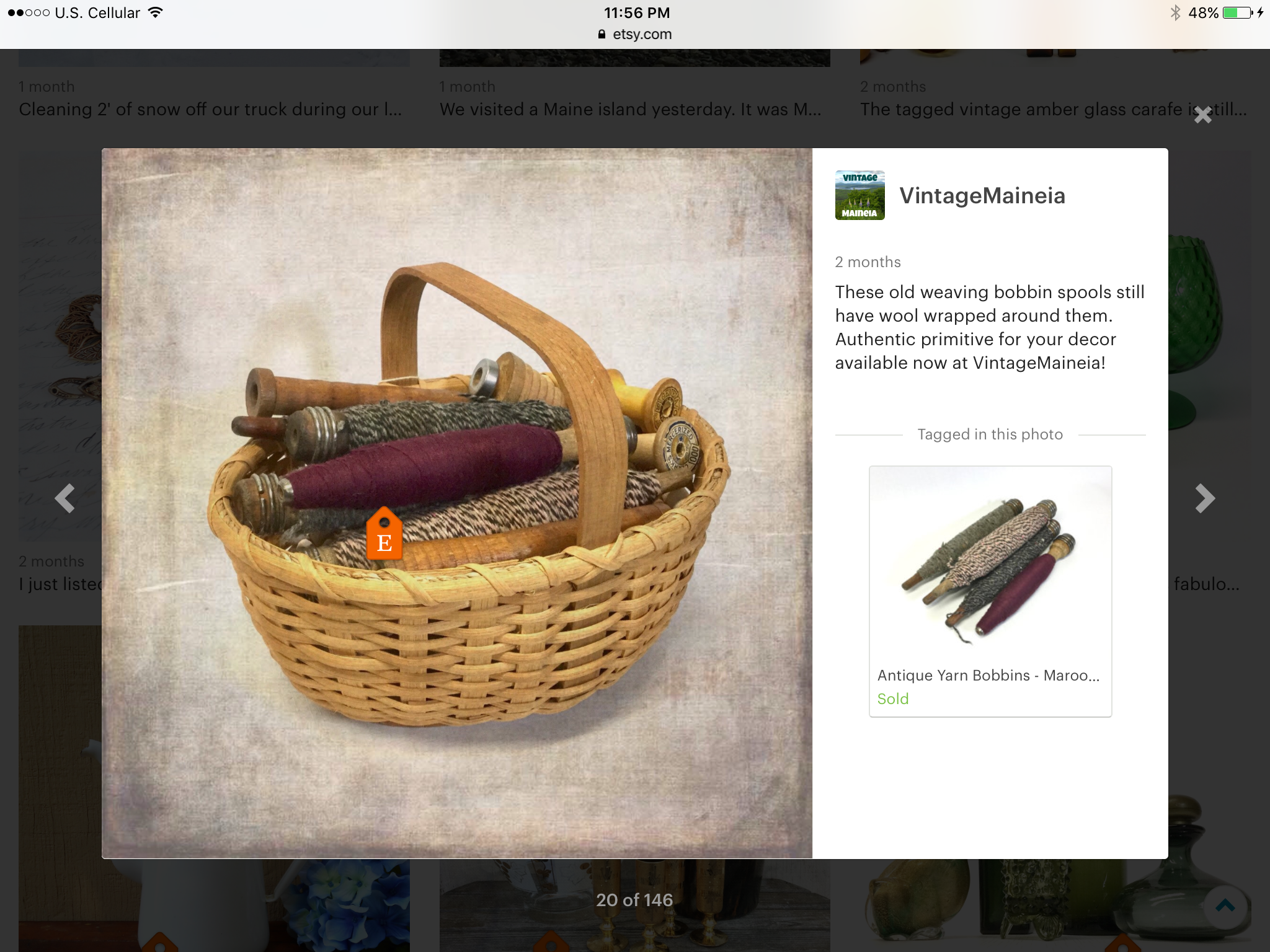 |
| Shop Update photo using a rustic Filters app |
If you don't purchase cellular data, you will only be able to use your device at home (if you have WiFi) and in other locations with WiFi. There are many places with free WiFi like fast-food restaurants, malls and libraries.
Our most extreme need for WiFi was a vacation we took in a remote location on the Canadian border. There was no US data. In order to view my emails, we had to cross the border and go to a little town office in Quebec. That is an unusual situation.
We purchased our iPads through the local carrier so that they would work with the local carrier. A savvy millennial would no doubt be able to do it cheaper.
We have 2 GB of cellular data per month, which works for us. With 1 GB, I had to continually check our data use in "settings." With 2 I am good as long as I don't do any streaming or uploading photos.
If you live in an area with a lot of carriers, you will have more choices. I live in a rural area. We need reliable data service in that area, so we used the best local carrier. I am sure that there are better deals out there.
15 ways to use a tablet in your vintage Etsy business
How do I use my device? How do I love thee? Let me count the ways:
 |
| My Coach Sutton purse for auctions |
- At auction to look up prices
- At auction to photograph items.
- While bidding at auction, refer to the pictures. (In my case so I know which tray lot I am bidding on.)
- I delete the photos that I don't use. The auction photos I save and record the price I paid for the item right on it for tax records.
- Taking listing photos.
- Editing listing photos.
- Enhancing photos. (Example: an app called Filters which makes items look textured and/or vintage colored)
- Storing photos either on my tablet or in cloud storage.
- Shop dashboard. The new Etsy Shop Manager for the Sell on Etsy app is even better than the new interface for the PC. Our views and favorites are better showcased in my opinion.
- Composing listings. The app has been glitchy, so I often just use the regular web browser.
- Shop updates. (I even have used my auction photos.)
- Inventory management. I use Numbers on the iPad.
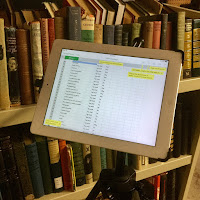
Tablet used for inventory management - While packing orders, I play movies with my device.
- Social media. I don't do much besides blogging. Even off line, I composed blog postings using Notes. (Blogger doesn't work well with a tablet.)
- Financial management. There are free and low-cost spreadsheet programs available.

Apps for our tablets
Spreadsheet - Numbers
Camera - comes with the device (called Photos), also Yamera
Photo Editing - Photos, plus Photo Editor
Photo Enhancing (Filters and Vintage Coloring) - Photos, plus Filters
Adding Text and/or Graphics to Photos - Photos, Canva, Photo Editor
Social Media - I'm not an expert
ITTT - If This Then That - free app to create chains of simple conditional statements that accomplish things.
DropBox - store, sync and share files
Cloud Storage - iCloud, OneDrive
Camera - comes with the device (called Photos), also Yamera
Photo Editing - Photos, plus Photo Editor
Photo Enhancing (Filters and Vintage Coloring) - Photos, plus Filters
Adding Text and/or Graphics to Photos - Photos, Canva, Photo Editor
Social Media - I'm not an expert
ITTT - If This Then That - free app to create chains of simple conditional statements that accomplish things.
DropBox - store, sync and share files
Cloud Storage - iCloud, OneDrive
Sell On Etsy app. Has been unreliable. Mostly use the website via Safari. Hopefully it has been improved with the new site improvement rollouts of February, 2017.
Accessories for Work
- Absolutely buy a case. I have dropped my iPads numerous times. I have broken three cases, but not the tablets.
- Carrying one around. I use a vintage Coach bag. I have also used various other crossbody style bags.
- Camera lenses. Inexpensive on eBay. Close-up and fish-eye.
- Tripod adapter. Take another look at my setup for inventory management. My older iPad is attached to a tripod with an adapter that is available on eBay.

Internet service. If you use cloud storage such as iCloud or OneDrive, your photos will be uploaded and stored. That is a good thing. However, the process can take up a lot of bandwidth, slowing down your Internet WiFi service. We have just upgraded our Internet service at home from 3 to 25 mbps. That allows for streaming video on multiple devices.
We also pay for some extra cloud storage. Apple's is 99 cents per month.
So, have you been inspired at all to try out a tablet? I enjoy mine much more than I expected to: reading and working while we travel. Streaming movies while folding laundry. Video chatting with friends and family. Playing Spider Solitaire at bedtime...
Are you using a tablet to help run your Etsy business? Does it work well?
We also pay for some extra cloud storage. Apple's is 99 cents per month.
So, have you been inspired at all to try out a tablet? I enjoy mine much more than I expected to: reading and working while we travel. Streaming movies while folding laundry. Video chatting with friends and family. Playing Spider Solitaire at bedtime...
Are you using a tablet to help run your Etsy business? Does it work well?